The Markdown editor
for people who don't write
Markdown.
You didn't ask for .md — your AI just gave you one.
MDX opens it like a document so you can tweak a sentence, fix a
heading, drop in a table, and save it back. No syntax to learn.
A field guide to writing without markup.
Markdown is great. Typing **asterisks** every time you want
bold is not. MDX lets you
format with a click — the file on disk
is still plain markdown.
Tables, code, math, diagrams — every one of them lives behind a button.
.md files from Built like a desktop app, not a web tab.
File tree. Tabs. Word count. Status bar. Native menus. The kind of editor you can leave open for a year.
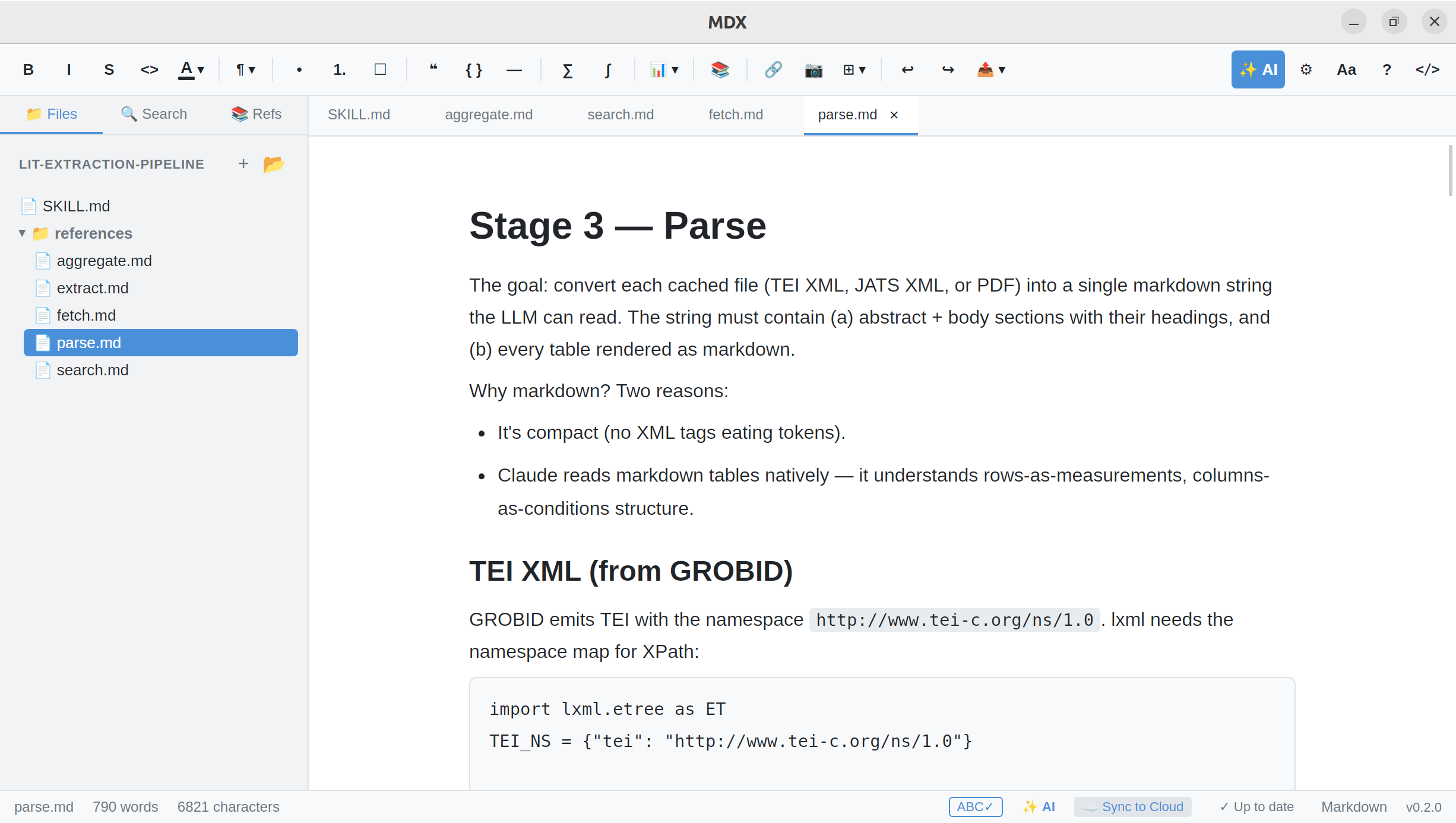
A writing tool, not
a configuration project.
No code. Just write.
Bold, italic, headings, lists, math, tables, diagrams — every kind of formatting lives behind a button. Your file on disk stays plain markdown.
Bring your own key.
Ghost-writing suggestions powered by the model you choose. Plug in OpenAI, Anthropic, Google, xAI, or a local model — your key, your bill, your prompts.
Your cloud, your rules.
Files live in your iCloud, Drive, Dropbox or local folder. No MDX server in the middle, no account required, no telemetry.
Everything markdown can do.
None of the typing.
Looks like a document. Saves like a markdown file.
What you see is what gets committed. Open the same file in any other editor and it's still plain .md.
Quarterly Notes — Q4
The team shipped three releases and closed 117 issues.
- Migration to the new editor core
- Diagram support across all platforms
- BYOK ghost-writing in beta
Tables
Insert, fill, drag columns. No pipes.
| Stage | Files | Status |
|---|---|---|
| Fetch | 1,204 | ✓ Done |
| Parse | 1,189 | ● Running |
| Aggregate | — | Queued |
Math, inline & block
Click. Type. No LaTeX required.
Diagrams
Draw flows directly. No mermaid syntax.
References & citations
Import a .bib. Cite with one click. Auto-numbered on export.
Everything else, also in the box.
One purchase. No add-ons. No subscriptions. Every release ships with the lot.
- Headings, lists, quotes
- Bold, italic, strikethrough
- Tables — no pipes
- Code blocks, syntax-highlighted
- Inline & block math
- Diagrams — no mermaid syntax
- Drag-in images & pasted screenshots
- Tab-to-accept inline suggestions
- OpenAI, Anthropic, Google, xAI, or local models
- Bring your own key — your bill
- Export to PDF
- Export to HTML
- Export to DOCX (Word)
- Plain
.mdon disk, always - iCloud, Drive, Dropbox or local folder
Also the markdown editor for papers, theses, and technical books.
The same app that opens your ChatGPT output handles the long-form work too: equations you type instead of code, citations from a real bibliography, and a one-click export to Word with a numbered reference list at the end.
References
[1] Smith J. A field-theoretic approach. Nature, 2024.
Your model.
Your key.
Your bill.
Tab-to-complete suggestions powered by the model you already pay for. We never proxy your prompts. We never see your text. The connection is between your editor and your provider — no middle-man server, no metering on top.
AI · Settings · Ghost-writer
Where do your files live?
No accounts.
No middle-man server.
MDX runs entirely on your machine. Files sync through whatever cloud you already trust — iCloud, Drive, Dropbox, or a folder on disk. We don't host your documents. We can't read them. We don't even know they exist.
One app. One price.
No subscriptions. No tiers. Try it free for 14 days, then pay once and keep it.
All platforms. All features. One purchase.
14-day free trial — no card required.
- macOS, Windows & Linux
- Click-to-format toolbar — bold, math, tables, diagrams
- BYOK ghost-writer (Claude, OpenAI, Gemini, Grok, local)
- Sync through your own cloud — iCloud, Drive, Dropbox
- No account, no telemetry, no middle-man server
- Free updates
Or try free for 14 days first. Sales by Paddle.